 Field & Home

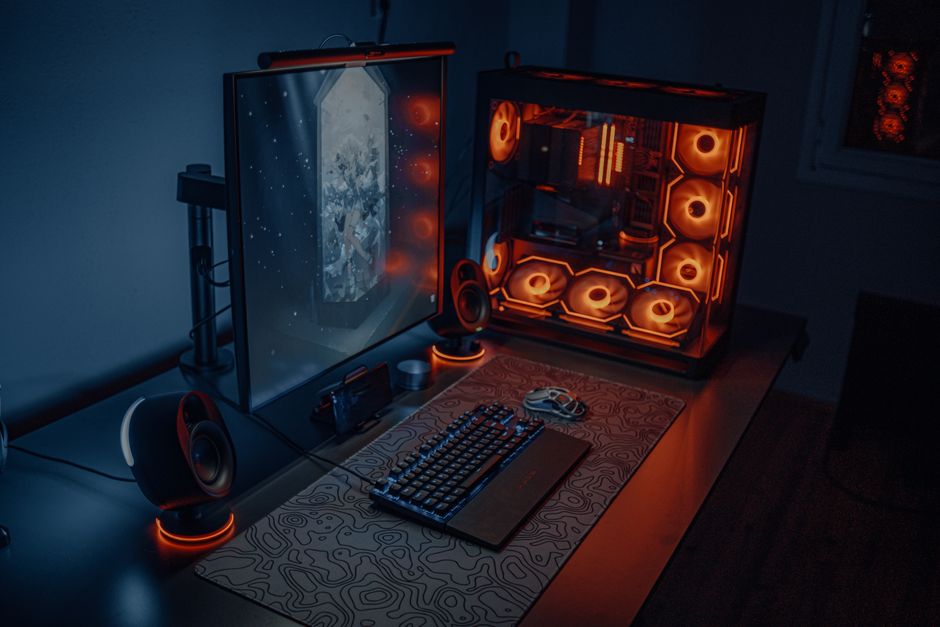
The short answer: A functional gaming room setup prioritizes ergonomic sightlines and structured cable management over ambient lighting. Positioning the primary monitor at a strict 24-inch viewing distance and routing power through a high-joule surge protector ensures both physical comfort and hardware longevity during extended sessions.
Desk Layout and Ergonomic Baselines
The foundation of any enduring gaming room setup is the physical desk surface, which must measure at least 30 inches deep to accommodate a proper viewing distance. While many commercial gaming desks max out at 24 inches, this shallow depth forces the user to sit too close to large panels, causing excessive eye tracking and neck strain. A depth of 30 to 36 inches allows a 27-inch monitor to sit at the optimal focal length while leaving adequate room for a full-size keyboard, a large mousepad, and physical audio equipment without cluttering the primary workspace. Opt for a solid bamboo or high-pressure laminate surface rather than raw MDF, which easily chips at the edges and degrades when exposed to the humidity of a warm room or spilled beverages.
Monitor placement dictates cervical spine health over long sessions, requiring the top bezel of the screen to align exactly with your natural eye level when seated upright. Mounting the display on a fully articulating gas-spring arm rather than a fixed factory stand frees up valuable desk real estate and allows for micro-adjustments in height and tilt. Ensure your monitor arm features a standard VESA mount interface and supports the exact weight of your display, as undersized gas springs will slowly droop over the course of a long gaming session. Keep the screen precisely 24 to 30 inches from your eyes, roughly an arm’s length away, and tilt the panel backward by exactly 10 to 20 degrees to match the natural downward gaze of the human eye.
Seating ergonomics must complement the desk height, which typically standardizes around 28 to 30 inches in North America. Adjust your chair so your feet rest flat on the floor and your knees form a strict 90-degree angle, then raise the armrests until they sit perfectly flush with the desk surface. This alignment prevents the shoulders from elevating to support the weight of the arms, significantly reducing tension in the trapezius muscles during repetitive mouse movements.
Peripheral placement relies heavily on the size of your tracking surface, particularly for players utilizing low sensitivity settings. A standard mousepad measuring 16 by 12 inches is insufficient for low-DPI tracking, requiring an extended desk mat of at least 36 by 16 inches to unify the keyboard and mouse zones. This continuous surface prevents the mouse from catching on the edge of a separate pad and dampens the acoustic resonance of mechanical keyboard switches against a hard wooden or composite desktop.
The Ergonomic Baseline
Standard measurements for a healthy gaming posture.
Room Temperature
Maintain 68 to 72 degrees Fahrenheit to prevent hardware thermal throttling and user fatigue.
Eye Level
Align the top third of the display directly with your seated pupil height.
Look at an object 20 feet away for 20 seconds every 20 minutes to prevent digital eye strain.
The precise backward angle that aligns the screen with the natural resting gaze.
The minimum horizontal span required for unified low-sensitivity mouse tracking.
Power Distribution and Cable Routing
Electrical management in a dedicated gaming space requires calculating the total draw of your components to avoid tripping a standard 15-amp residential breaker. A high-end gaming PC pulling 600 watts, combined with a 300-watt monitor and a 200-watt audio amplifier, consumes roughly 1100 watts, which sits dangerously close to the 1800-watt maximum of a 15-amp circuit at 120 volts. Always isolate your core computing hardware on a dedicated circuit if possible, or ensure no other high-draw appliances like space heaters or vacuum cleaners share the same wall outlet. Never daisy-chain multiple power strips together to reach a distant wall outlet, as this creates a severe fire hazard and violates the electrical code in most residential jurisdictions.
Protecting this expensive hardware demands a high-capacity surge protector rated for at least 2000 joules, rather than the basic power strips commonly sold in office supply stores. Joule rating indicates the total amount of energy the device can absorb before failing, and a rating below 1000 joules will degrade rapidly after minor daily voltage fluctuations. For absolute protection against data corruption during sudden outages, route the PC and primary monitor through an Uninterruptible Power Supply rated for at least 1500 VA, providing roughly ten minutes of battery backup to save progress and shut down safely.
Physical cable routing transforms a chaotic workspace into a maintainable environment, beginning with the installation of an under-desk wire mesh tray. A mesh tray measuring 6 inches deep and 30 inches wide provides ample volume to hide power bricks and excess cable length while allowing critical airflow to prevent heat buildup around power adapters. Secure the tray to the underside of the desk using heavy-duty wood screws rather than adhesive strips, which invariably fail under the continuous weight of copper wiring and heavy transformer bricks. For the final drop from the desk edge to the floor, enclose the main bundle in a flexible braided cable sleeve to protect the wires from abrasion against the metal desk frame and accidental kicks from your feet.
When bundling cables, strictly avoid using permanent plastic zip ties that must be cut and discarded whenever you upgrade a peripheral. Hook-and-loop velcro straps applied every 12 inches allow for clean, organized runs along the desk legs while remaining fully adjustable for future hardware swaps. Route power cables and data cables in separate bundles to minimize electromagnetic interference, which can occasionally cause audio static in unshielded analog headphone wires.
Velcro Cable Straps
- Adjustability: fully reusable and adjustable
- Safety: no sharp cutting tools required
Plastic Zip Ties
- Adjustability: permanent, requires cutting
- Safety: sharp cut edges can slice wire insulation
“A clean cable run is not just about aesthetics; it reduces dust accumulation on power supplies and cuts hardware troubleshooting time in half when a component inevitably needs replacement.”
— Marcus Thorne, Spatial Ergonomist at Field & Home

Frequently Asked Questions
Further reading: Trunk Kits for Permanently Tidy Cars · How to Use Shared Family Calendars Without Double-Booking
Sources: This Old House